
6 HRMS Customization Questions to Ask Your Vendor
These days, everything is bespoke and HRMS (especially in the cloud) is no different. Many vendors make selling points out of their system’s flexibility and configurability, offering what is effectively a unique product to each customer rather than a take-it-or-leave-it off the shelf package. When it comes to HRMS customization and configuration, there are a few points to make with any potential vendor.
HRMS Customization Question #1: Can You Configure the System to Match Our Business Processes?
Granted a new HRMS is an opportunity to review your current HR processes and procedures for efficiency and best practice but… any changes should be made because they suit your business needs and not be dictated by your new software. Ideally, the HRMS will be configurable to the extent that its transactions reflect your procedures and not the other way around.
HRMS Customization Question #2: Do You Have Any Readymades?
Some HRMS packages come with a variety of standard configurations to suit different types of business or industry just waiting to be selected. Assuming one of these fits your needs (or at the least only requires minor modification) a great deal of time can be saved on the implementation process.
HRMS Customization Question #3: Can Users Customize Their Experience?
Personalization gives a feeling of ownership and commitment and this applies to the on-screen desktop or dashboard as much as it does to an employee’s physical workstation. Can your people customize their HRMS workspace in terms of appearance and/or functionality?
HRMS Customization Question #4: Can the Application Be Configured to Interact with Other Systems?
For Big Data and human capital analytics purposes, you may wish your HRMS to be able to reach out to your other HR and business intelligence systems, including recruitment, time and attendance, ERP, CRM, payroll, and so on.
HRMS Customization Question #5: How Flexible Are the Reporting Capabilities?
Standard reports are fine. Reports that are tied to your organization's’ specific business goals are great. You need the system to give you the information and insights you want and not have to compromise.
HRMS Customization Question #6: Can We Customize the Appearance?
Everything is about branding and HR’s internal brand with employees is just as important as how your company presents itself to external customers and clients. Ideally, the appearance of the HRMS on-screen – the headers, footers, login page, etc. – and of the documents it produces can be edited to display HR’s chosen corporate image.
Featured white papers
-
-

-
HRMS Requirements Template
Free HRMS requirements template (over 130 features) customizable for your organization
Download
Related articles
-

A five step guide to assessing your payroll processes
How to review your payroll processes effectively before implementing new software
-
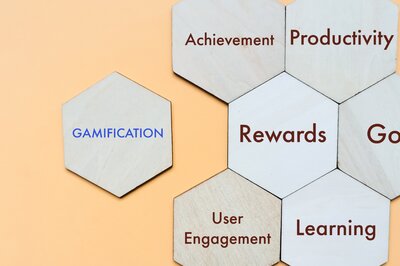
Three gamification ideas to increase HRMS user engagement
HRMS gamification is a good way to engage users with new software - use these ideas to get going
-

Five HR software systems to suit large companies
Here are some of the best enterprise HR software systems for large companies