
An in-depth guide to in-person HRMS training
There are many options when it comes to HRMS training, from recorded sessions, self-paced user guides, web trainings to in-person training sessions. If you've decided that face-to-face training is the way to go for your organization, how can you ensure that everyone is trained properly?
1. Establish sessions based on role and responsibility
When your user base is large enough to merit a number of HRMS training sessions, it is to your advantage to establish sessions based on a user’s role. Training can be targeted to a population’s usage allowing you to go more in depth in their area of responsibility. Consider separate sessions for recruiters, compensation and benefits professionals and HR generalists to maximize the group dynamics. It is useful to make a shorter training session for your higher level HR employees such as directors, vice presidents and the chief human resources officer. While this group may not be in-depth system users they need to understand the general functionality to manage their teams and to sell it to their peers outside of HR.
2. Build in time for interaction
One of the main advantages of face-to-face HRMS training is the ability to read body language and to see in a user’s face if the answer to a question is clearly understood. An instructor can read the mood of the room to see if there is overall understanding or if a session is running too long and a break is needed.
A user can hide behind a screen in an online class, especially when it’s a class of 30 or more people. In an in-person situation keep it to a maximum of 15 so that the instructor can roam the room during activities and exercises to be sure that everyone is grasping the concepts and is able to perform the tasks.
3. Include a test for completion
Inform your users at the beginning of the session that there will be a training or certification test at the end of the course. Including this component will lead to more user participation and a higher level of engagement during the session. You can make a traditional test such as multiple choice or true/false questions, but better is to make it task based. For example, if you are training a data entry team, the test should be data entry activities such as entering a new hire or updating benefits. If you are training a back office HRMS team it may be a troubleshooting challenge or an operational task like creating a report. As an add-on each year, allow your users to take a similar test and those who reach a certain pass rate can be exempted from attending refresher training.

Free white paper
HRMS implementation: 9 steps to success
Get your detailed guide to planning and executing an HRMS implementation
Featured white papers
Related articles
-

A five step guide to assessing your payroll processes
How to review your payroll processes effectively before implementing new software
-
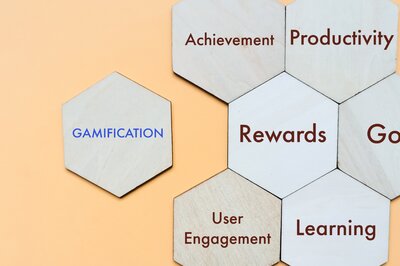
Three gamification ideas to increase HRMS user engagement
HRMS gamification is a good way to engage users with new software - use these ideas to get going
-

HRMS Training: The Process and The Users
HRMS training will most likely be required by all users, but who are the users? And what is the p...